Giveaway Control
Set it up, go live, draw winners, all from one place.
!join
0 entries
Multiple entries: typing the keyword again buys another entry, each costs the fee, each is another ticket in the draw.
Refunds: everyone gets their points back if you end without drawing a winner. Removing a single entry doesn't refund it.
!points / !ptscheck their balance!give user amountgift points to another viewer (toggle on the right)!ptoptop holders, right in chat!pranktheir rank on the board!store · !buy itemspend points in your store!communityWenBot community hub + their WenPoints!followagehow long they've followed you/register): /points, /daily, /buy, /myraffles!followage only knows follows since WenBot joined your channel. Running this fills in everyone who followed before that, straight from Kick.
!give or !pgive. Turn this OFF if it's being abused. Saves instantly.! command or an all-caps shout) to count as a real message.Activity window, how long a viewer keeps earning after their last real message. Example: at 5 minutes, someone earns for 5 minutes after each message they send; if they go quiet longer than that, they stop earning until they chat again. This stops idle/AFK lurkers from farming points.
| # | Viewer | Points | Last Active | Actions |
|---|---|---|---|---|
| Loading... | ||||
Fire !giveall from a Stream Deck button, instantly drop points to every active chatter (great right after a big win). Generate your private link, then add it to a Stream Deck Web Requests (recommended) or Website button. Anyone with the link can trigger it, so keep it private, regenerate to revoke. Requires the Points system (Pro+).
Enter the actual final balance to find the closest guess.
Post a custom message from WenBot after picking the winner.
| # | Viewer | Guess ($) | Submitted | Diff |
|---|---|---|---|---|
| No active GTB session | ||||
Ask your chat a question and the first correct answer wins. WenBot posts the question, watches chat, and calls it the moment somebody gets it. Answers are read straight from your Kick chat, so this page has to stay open while a round is running.
✍️ Your own questions & categories
Build your own categories and fill them with your own questions. They show up in the Category dropdown above and get asked just like the built-in ones. Type them one at a time, or paste a whole batch.
| # | Viewer | Correct | Last answer |
|---|---|---|---|
| No rounds played yet | |||
| Viewer | Item | Points | Via | Time | Action |
|---|---|---|---|---|---|
| No pending redemptions | |||||
all (bets your whole balance, capped at the max bet). The bot replies with these usage examples whenever someone types a command wrong.!coinflip red 500call red for 500!coinflip blue allcall blue with everything you have!roulette red 500includes all red numbers · pays 2x!roulette black 500includes all black numbers · pays 2x!roulette 36 200specific number 0-36 · pays 36x!roulette sec1 750section bet · sec1 = 0-12, sec2 = 13-24, sec3 = 25-36 · pays 3x!roulette green 50green (0) only · pays 14x!limbo 500 2.37xroll lands at or above 2.37x → win 500 × 2.37. Targets 1.1x to 100x.!double 250050/50, win and your pot doubles!doubleride the whole pot again!takebank the pot (auto-banks after 45s so wins are never lost)!gameslist enabled games, bet limits & cooldown!games on / !games offmods: master switch, same as the toggle on the left/coinflip, /roulette, /limbo, /double, /take, /games. Discord shows the options as players type, and results post publicly for the hype. Players must link with /register first; bets hit the same points balance as Kick chat.
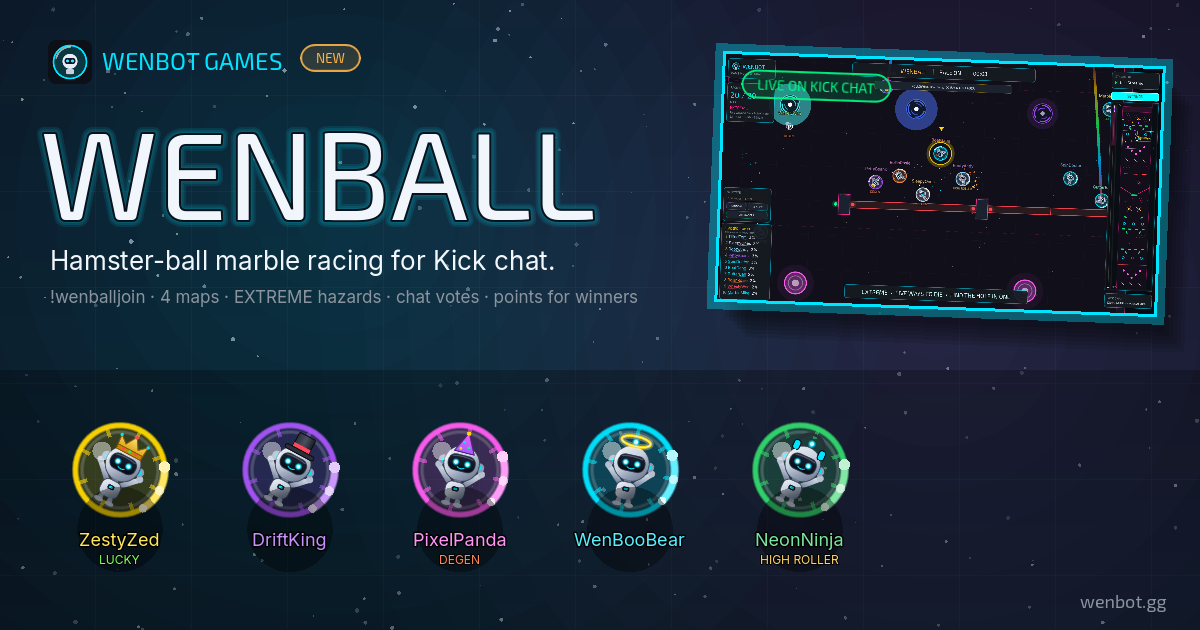
!play — one ball each. If chat voting is on, chat votes on the map and race length.2. Start — press START RACE in the game (or SPACE, or
!wenballstart as broadcaster/mod). The floor drops and every ball races down at once — identical physics for everyone, so it’s pure luck.3. Results — the podium shows the winners; if payouts are on, points land automatically and the podium confirms “Points sent to wenbot.gg”.
!playviewers: take a ball (once the lobby is open)!vote gauntlet longviewers: vote on map + race time!wenballstartyou / mods: start the race!wenballrematchyou / mods: same racers, another go!wenballresetyou / mods: back to a fresh lobby!wenballmap 1-4you / mods: switch map (lobby only)• Every gameplay setting (map, race length, players, winners, voting, sound) lives in the game’s own SETTINGS panel and saves automatically. Only the payout amounts live out here.
• Every ball is identical — same size, mass and bounce, lanes shuffled. Join order and cosmetics change nothing.
• Racers’ balls are dressed by their WenPoints cosmetics (passport theme, flair, Mystery Box badges) automatically.
• Click any ball, a name in LEADERS, or a dot on the minimap to follow that racer; SPACE returns to the leader.
• More WenBot Games will land in this section — WenBall is the first.

!play — their WenBot marches in and gets a jetpack bolted on.2. Launch — press LAUNCH (or ENTER, or
!jetstart as broadcaster/mod). Everyone lifts off at once and climbs through four altitude bands full of drones, saucers, debris, flak, lightning and meteors. Bots auto-fly and auto-shoot; kills refill fuel and level their guns up. Last bot flying wins.3. Results — the podium shows the survivors; if payouts are on, points land automatically and the podium confirms it.
!playviewers: grab a jetpack (once the hangar is open)!jetstartyou / mods: launch the flight!jetrematchyou / mods: same pilots, another go!jetresetyou / mods: back to a fresh hangar!jetlength longyou / mods: flight time — fast, regular or long• Every gameplay setting (flight time, pilots, winners, sound) lives in the game’s own SETTINGS panel and saves automatically. Only the payout amounts live out here.
• Every jetpack is identical — same thrust, fuel, guns and HP. Levels, shields and OVERDRIVE are all earned in-flight; cosmetics change nothing.
• Pilots are dressed by their WenPoints cosmetics (passport theme colors the jetpack, plus flair and Mystery Box badges) automatically.
• Click any pilot or a name in STANDINGS to follow them; SPACE returns to the pack. The flight log and altitude bar live on the right.
• Placings: last bot flying is 1st, then everyone in reverse order of going down.

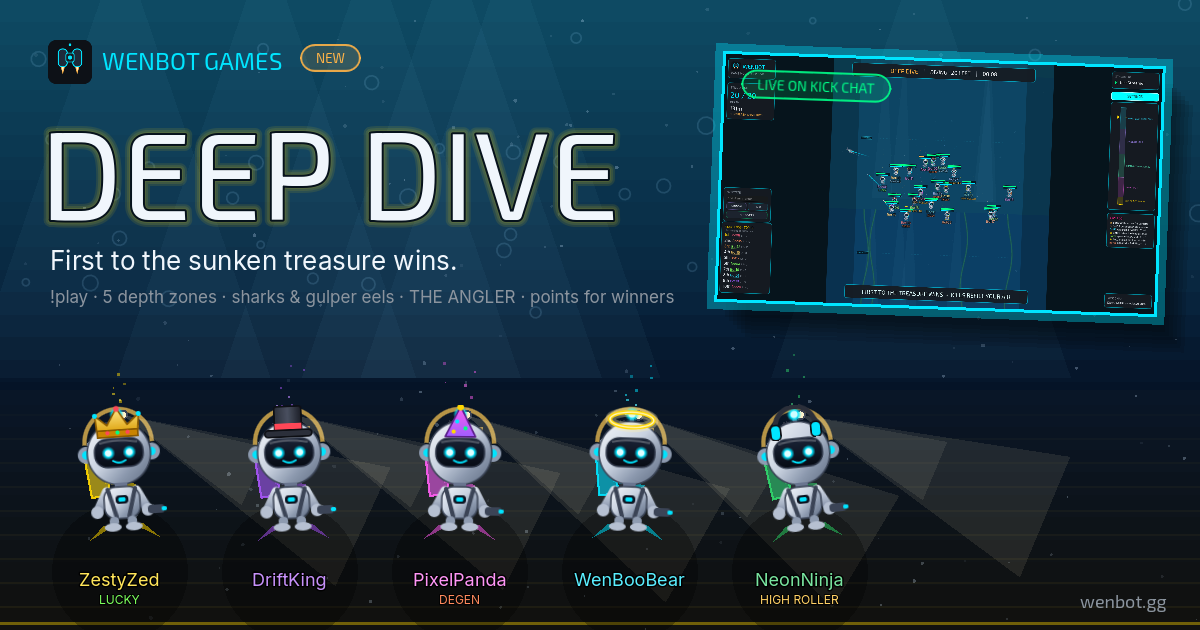
!play — their WenBot walks the deck and gets a tank craned on.2. Dive — press DIVE (or ENTER, or
!divestart as broadcaster/mod). The whole lobby cannonballs in and sinks as one pack through five depth bands — helmet lamps clack on as the light dies. Divers auto-spear piranha-jellies, barracudas, mines and gulper eels for pearls; air is the clock. First hand on the GOLDEN WENCHEST wins — the dead float back up belly-up, and overtime wakes THE ANGLER.3. Results — the podium shows who touched gold; if payouts are on, points land automatically and the podium confirms it.
!playviewers: grab a tank (once the boat is open)!sosviewers: strobe your helmet lamp at the camera!divestartyou / mods: start the dive!diverematchyou / mods: same divers, another go!diveresetyou / mods: back to a fresh boat!divelength longyou / mods: dive time — fast, regular or long!divemap kelpyou / mods: dive site — bluehole, kelp, fleet or maw ☠• Every gameplay setting (dive time, map, divers, winners, sound) lives in the game’s own SETTINGS panel and saves automatically. Only the payout amounts live out here.
• Every tank is identical — same air, fins, harpoon and HP. Levels, shields and gear are all earned in-dive; cosmetics change nothing.
• Divers are dressed by their WenPoints cosmetics (passport theme colors the tank, plus flair and Mystery Box badges) automatically.
• Click any diver or a name in STANDINGS to follow them; SPACE returns to the pack. The dive log and depth gauge live on the right.
• Placings: touch order at the chest first, then whoever is deepest, then the fallen in reverse order (dying deepest ranks best).
• Anti-snowball is built in: the leader pays extra air in the deep, and a runaway lead gets THE DEEP’s attention. Loudly.
!, it's added automatically. Leave blank to keep the default.
!sr, say. WenBot then ignores it completely. (Your own custom command already beats both.){winner} becomes the winner's name with the @ attached.{verify} becomes the link to that draw's proof, so chat can check it themselves.
Leave it out and the link is added on the end automatically.
While you are live, viewers type !clip, !clip 30 or !clip 60 and WenBot saves the last 30–60 seconds, then posts the link in chat. Turn this off if you clip with another service and want !clip left alone — WenBot then ignores it on your channel.
Turn each viewer command on/off for your Discord, all on by default. A command also only works when its feature is live (e.g. /hunt shows nothing if no hunt is running; /gtb needs an open round). Viewers link Kick with /verify first. /points, /store, /lb & /verify are always on.
/daily.| Kick Username | Casino Username | Casino | Status | Discord | Wager | Verified At | |
|---|---|---|---|---|---|---|---|
| Loading... | |||||||
Share your personal link with other streamers. When they sign up and onboard, they're tracked as your invite below. Rewards for inviters are coming soon, your invites are being counted from today.
| Streamer | Plan | Status | Joined |
|---|---|---|---|
| Loading… | |||
🌐 WenBot Creators
Connect or disconnect WenBot from your Kick channel. When OFF, the bot leaves your chat and stops responding to commands, all your settings are kept. Turn it back ON anytime (it reconnects within a minute).
!permit username to let someone post one link.Your community clips your best moments with !clip 30 in chat, your team reviews them, and the ones you approve land on your public board.
Edit a clip to trim it, reframe it for vertical, add text or AI captions. An edit saves as a new clip — the original is never touched.
Make the moment count.
Brute Force, 500xgazok · 30s · approved
How the Clipping Studio works
Manage your Clipping Studio and its portal entry in Growth Tools → Clipping Studio
Your public portal lives at wenbot.gg/—. It shows your bio, socials, active giveaways, and, depending on your plan, your store, raffle winners, and leaderboard.
#00e5ff
Allow your available clips to appear on wenbot.gg/clips. This creates your public gallery entry automatically. Your private clipping studio is unchanged.
The Creators page shows every WenBot creator with live status, so streamers can find and support each other. Your channel is listed automatically while you're on a paid plan or trial. Turn this off to be removed from the directory (and from any future public creator showcases), it takes effect within a couple of minutes.
Pull your WenBot data into your own website — leaderboards, store, giveaways and viewer points. Read-only. Full reference at wenbot.gg/docs/api.
Publishable (wb_pk_…) is safe in your website's
front-end code, and only reads what your public portal already shows. Lock it to your
domain below.
Secret (wb_sk_…) reads viewer points and
redemption history. Server-side only — never put one in
a web page.
| When | Action | Details |
|---|---|---|
| Loading... | ||
✨ What's New
v1.57.0v1.57.0 · Giveaway overlays you can trust on stream
September 14, 2026- 🎡 Every giveaway draw now shows on your overlay. A long-standing bug had WenBot clearing the draw signal every few seconds during a giveaway, so the carousel overlay missed roughly 1 in 4 draws. Fixed.
- 🎬 Switch scenes mid-draw without losing the reveal. When a scene with your giveaway, wheel, winner, spinner or trivia overlay comes back into view, it picks up exactly where an always-visible overlay would be — still spinning, or showing the result — and never replays an old or dismissed draw.
- 🎨 Overlay Studio saves always reach OBS. If a save lands during a network blip, open overlays keep retrying until they have your new look, instead of staying on the old one.
- 🔋 Overlays rest when nobody can see them. They update at full speed while you’re live, recording or setting up, and slow down when OBS sits idle off stream (pausing entirely while their scene is hidden). If you test something after OBS has been idle a while, the first update can take up to 10 seconds — then it’s instant again. Nothing to change on your end.
v1.56.0 · Every casino in setup, Packy, launch-when-ready leaderboards, and complete race history
September 13, 2026- 🎰 Every casino WenBot supports is now in setup and Settings. Gamba, Hype.bet, Winovo, ETHbet and Packy join the list, each asking for exactly the keys it needs — and keys stay optional wherever a casino works without one.
- 📦 Packy leaderboards. Run Packy as your main casino or as an additional board, with under-code verification and every finished race recorded to Past Winners.
- 🚀 Stage a leaderboard and launch it when you’re ready. A new board can start switched off: it stays hidden from your portal and Discord’s
/verifyand/lbuntil you (or a mod) tick Board is live, and its race starts that moment. - 🏆 Past Winners never loses a race. WenBot now keeps standings throughout every race on every board, records every paid place instead of stopping at 10, and no longer misses Degen or CSGOBig races that end between checks.
- 🎬 Elite: your viewers can clip your stream. While you’re live,
!clip(or!clip 30/!clip 60) saves the moment and posts the link in chat. Clips appear in the public gallery at wenbot.gg/clips, and you choose whether yours are shown there.
v1.55.0 · Easier moderator setup, and no more surprise sign-outs
September 9–10, 2026- 🛡️ Setup is shorter. It’s now Connect Kick → casino → Finish. Making WenBot a moderator moved to your Getting Started checklist, with the exact command Kick needs:
/mod WenBot(Kick’s/modis case-sensitive, so/mod wenbotfails). - 👋 WenBot says hi in your chat right after setup, so Kick’s
/modautocomplete can find it — and it confirms in chat the moment you’ve made it a moderator. Automod, bans and timeouts only work once it is one. - ✨ Getting Started lights up the one step to do next, and finished steps shrink to a row of green chips.
- 🔓 Fixed random sign-outs. A hiccup in one browser tab no longer signs you out of every WenBot tab.
- 🟢 Fixed live detection for 8 channels that were being treated as offline mid-stream, which paused their timed messages and other live-only features.
v1.54.0 · Thrill verification, dated past races, and a demo-or-live Studio preview
September 8, 2026- ✅ Thrill viewers now verify under your code. Verification reads your Thrill race, so a viewer wagering through your link shows as under your code, with their wager — before, every Thrill verification showed as Standard.
- 📅 Past races say when they ran. Every Past Winners entry now shows its dates, not just the casino’s name for the race.
- 🎨 Overlay Studio: pick demo or live data for the preview, so you can style against sample data or check exactly what your viewers will see.
v1.53.0 · Bots stay off your leaderboards
September 7, 2026- 🤖 Chat bots no longer earn points. Bots sit in chat all day, so they were out-earning your viewers — WenBot itself was #1 on some channels. Bots are now left out of point earning,
!top,!rank, Discord’s/plband your dashboard’s points leaderboard. - 📊 Their old balances stay visible in your points table, so you can reset them if you like.
v1.52.0 · WenBot Games: Deep Dive
September 6, 2026- 🌊 Deep Dive, the newest WenBot Game. Your chat cannonballs off the S.S. WENCHOR and races through five depth bands to the Golden Wenchest — dodging harpoons, zapjellies, anglerfish lures and the Angler that guards the gold. First hand on the chest wins. Find it under WenBot Games.
- ⚡ WenBot pages load faster. Our logo and artwork were shipping at up to 2 MB each; every page now loads about 5 MB lighter.
v1.51.0 · Every slot in the catalog, and a sturdier chat bot
September 5, 2026- 🎰 The full 7,000+ slot catalog loads everywhere, and misspelled requests still find the right slot — thumbnail included — in slot requests, the request spinner and bonus hunts. Renaming a hunt slot now updates its picture too.
- 🖼️ No more generic slot-machine icon on your overlays when a slot has no artwork; the WenBot logo shows instead.
- 🛠️ Reliability fixes. Fixed a fault that could make WenBot silently ignore every
!command, and points your viewers earn in the seconds before a bot restart are no longer lost.
v1.50.0 · Thrill leaderboards, name changes that keep points, and portals that stay up
September 2, 2026- 📊 Thrill is now a supported leaderboard — as your main casino or an additional board.
- 🔁 Viewers who change their Kick name keep everything. Points, verification, raffle tickets and store purchases carry over automatically, and
/lookupshows your mods the name change. - ⚡ Your portal stays up when a casino is slow. If a casino’s API hangs or errors, your portal keeps showing the last good leaderboard instead of “unavailable”, and boards refresh in the background so viewers never wait on the casino.
v1.49.0 · Additional leaderboards: countdowns and correct numbers, plus named raffles
September 1, 2026- ⏱️ Additional boards show their own end date on your portal, and the countdown uses them when your main board has no timer running.
- 💾 Additional boards keep everyone’s wagers if the casino resets its totals mid-race — the same protection your main board already had.
- 📊 Fixed an extra board showing “No wager data yet” on your portal while your dashboard showed its standings.
- 🎟️ Name your wager raffles. Give a draw a name or prize on the Raffle page; it’s saved with each winner and remembered for next time.
v1.48.0 · Alt flags in Verified Users
August 30, 2026- 🔎 Verified Users flags accounts that look linked. A badge appears when a viewer shares a casino account, Discord account or internet connection with another verified viewer; hover it to see exactly who, and what they share. It’s a reason to look, not a verdict — a shared household looks the same.
- 🗂️ Removing a verified viewer no longer erases the trail. Their linked accounts stay on file, so re-verifying with the same accounts is still recognised, and your Activity log records who removed them.
v1.47.0 · Pair WenBot with your anti-bot gate, and fairer under-code messages
August 29, 2026- 🛡️ Optional: require both your anti-bot gate and WenBot verification. If you run a gate bot like Double Counter, WenBot can hand out a third role only once a member has both — the one role that unlocks your server. Off unless you turn it on in Verification & Roles, and members who already qualify get the role automatically.
- 💬 ETHbet and Gamba viewers are no longer told they’re “not under the code”. Those casinos only share the top of their leaderboard, so WenBot now says it can’t confirm yet instead of implying they signed up elsewhere.
v1.46.0 · Two-factor sign-in, moderator accounts, and your own trivia
August 28, 2026- 🔐 Two-factor authentication for your WenBot account. Open Security & 2FA in the sidebar, scan the QR code with any authenticator app, and sign-ins will ask for a 6-digit code. Optional, and off until you turn it on.
- 👥 Moderators get their own sign-up. Choosing “I moderate for a streamer” skips the Kick-channel and casino steps, so your mods can make a login and be added to your team in a minute.
- 🧠 Trivia with your own questions. Create categories, add questions one at a time or paste a batch (
Question | Answer | alt1, alt2), and they mix into your rounds. The Trivia page is tidier too. - 💳 A clearer billing page. If you’ve cancelled, it now says “Cancels soon” and shows the date your access runs until, instead of a next billing date.
v1.45.0 · Removed winners stay removed, and Winovo sign-ups verify
August 27, 2026- 🚫 A removed giveaway winner can no longer be drawn again. On a busy giveaway, “Remove, can’t win or rejoin” could fail to lock the viewer out, so they could win the very next roll. The block now saves first, every time.
- ✅ Winovo viewers verify as soon as they sign up under your code — no wager needed. Before, anyone still at $0 was told they weren’t under your code.
v1.44.0 · Verified-role reliability
August 27, 2026- 🛡️ A verified viewer who didn’t get their role now gets it on re-check. Discord occasionally has a brief hiccup when WenBot grants the Verified role; WenBot now retries automatically at verify time, and if one still slips through, clicking ↻ Re-check on that user in Verified Users retries the grant and hands them the role.
- 💬 Clearer verify-log messages. When a role grant fails, the log now says whether it was a temporary Discord error (just press Verify again) or an actual permissions / role-position problem — instead of always blaming your setup.
v1.43.0 · Choose which casinos your verify message names
August 27, 2026- 🎰 Your Discord verify message now names every casino you run — so a viewer who plays your second casino is told they can link it, instead of only seeing the primary. Before, it named just your main casino.
- ✅ And you can narrow it. Under Discord & Verification → Verification & Roles, a new “Casinos named in the verify message” list lets you tick only the ones you want to feature (e.g. show just Winovo). It changes the wording only — your verify page still accepts any casino you run — and if you feature a single casino, the verify link opens straight on it.
v1.42.0 · ETHbet leaderboards
August 27, 2026- 📊 ETHbet is now a supported leaderboard. Pick ETHbet as your casino — or add it as an additional board — and paste your ETHbet API key. Your live leaderboard pulls straight from ETHbet, on your portal and in Discord, using the race dates and prize ladder you’ve set on ETHbet.
- ✅ Under-code verification too. Viewers who play under your ETHbet code verify automatically when they appear on your ETHbet board, the same way your other race-based casinos work.
v1.41.0 · Giveaway winners get a staff mod-log, and Channel setup in one place
August 25, 2026- 🔎 Every giveaway winner now drops a staff mod-log card. Add the new Giveaway winner — mod log Discord route and each winner you draw posts a detailed card there — verified status, casino and code, points, plus automatic red-flag alerts when the account looks like an alt, a bot, or shares a connection with other accounts. A Show more button runs the full lookup for the whole mod team to read.
- 🔒 The mod-log stays out of your public channels. This route only ever posts to a channel you pick for it — it never falls back to your giveaway or announcements channel — so winner flags and lookups can’t leak to viewers. Want winners shown to chat too? The plain Giveaway winner route still does that.
- 🧭 Channel setup, in one place. A single Channel setup panel now holds your Announcements and Giveaway channels alongside per-event routing, with the advanced
/giveallcontrol tucked at the bottom. And your saved channels fill in the moment the page loads instead of sitting blank until you hit refresh. - 💭 Dropped the
!winnerchat command. Winners are drawn from your dashboard (with the spinner and the winner card), so the redundant Kick-chat command is gone.
v1.40.0 · Additional leaderboards can repeat, and the Leaderboard page folds up
August 25, 2026- 🔄 Additional leaderboards can now repeat. Each extra board gets a Repeat setting — every week, every 2 weeks, or every month. When the race ends WenBot starts the next one for you and resets the board to 0, exactly like your main leaderboard has always done. Before this, a second board stopped dead on its end date and waited for you to retype the dates.
- 🏁 A Reset now button on every extra board. Starts that race immediately and baselines everyone’s current wager to 0. This matters most for casinos that report lifetime totals rather than per-race ones (Winovo) — without a baseline the board opens showing wagering from long before your race began.
- 📑 The Leaderboard page folds up. Every section — Post standings to Discord, Main Leaderboard, Additional Leaderboards, Wager Rankings and Points Leaderboard — collapses with a click on its header, and WenBot remembers which ones you keep closed. The page had grown to five stacked cards and read as a wall.
- 🏆 “Public Viewer Leaderboard” is now “Main Leaderboard”, which is what it actually is now that you can run several.
v1.39.0 · Giveaways post to Discord, and a tidier Discord setup
August 25, 2026- 📤 Your Kick giveaways now announce in Discord automatically. When you start a giveaway (or draw a winner), WenBot posts it to your routed Discord channel as well as Kick chat — a “get in chat and enter” heads-up, no Join button that could skip your entry rules. You no longer have to flip the toggle to DISCORD to get a Discord post; that toggle now just runs a Discord-native giveaway when you actually want one.
- 🧹 Dropped WenBot’s anti-bot gate. The captcha / account-age gate is gone — that job is better handled by a dedicated gate bot like Double Counter. WenBot verification is now purely clean account-linking (Kick + casino) with an optional role, made to run right alongside your gate.
- 🧳 Tidied the Discord & Verification page. Verification & Roles and the
/giveallcontrol are collapsible now, so the page opens clean instead of one long wall of settings.
v1.38.0 · Portals open instantly, and removing a verification takes back the role
August 25, 2026- ⚡ Your portal paints the moment it opens. Anyone who has visited before now sees your leaderboard, store and giveaways straight away instead of empty tables while the page fetches. The live numbers slide in behind a small “Updating” tag, so a returning viewer is never left looking at a blank board.
- 🔒 Removing a verified user now takes back their Discord role. Before, removing someone from Verified Users cleared them from your dashboard but left the verified role sitting on their Discord account. It is now revoked as part of the same click — and if they are still verified through another casino you have connected, they keep the role, as they should.
- 🔄 The list updates as you go. Removing someone drops them from the table immediately. No more refreshing the page to see whether it worked.
v1.37.0 · Hype.bet leaderboards
August 24, 2026- 📊 Hype.bet is now a fully supported leaderboard. Pick Hype.bet as your casino and paste your affiliate API key — your live leaderboard pulls straight from Hype.bet for any date range, on your portal and in Discord.
- ✅ Under-code verification works too. Viewers who play under your Hype.bet code verify automatically, the same as every other supported casino.
- ⏳ Light on your key. The board is cached so a busy portal never trips Hype.bet’s rate limit.
v1.36.0 · WenBot Games: Jetpacks, and a Games home in the sidebar
August 23, 2026- 🚀 Jetpacks — last bot flying wins. Open the hangar and viewers type
!play: their WenBot marches in and gets a jetpack bolted on. Hit LAUNCH and the whole lobby lifts off together, climbing through open sky, a lightning stratosphere, orbital debris and deep space while drones, saucers and meteor showers thin the field. Kills refill fuel and level guns up, shield and OVERDRIVE crates drift by, and past the target time a solar storm plus THE APEX boss guarantees a finale. The last pilot flying takes 1st. - 🏆 Same trusted payouts as WenBall. Set a prize ladder and winners' channel points land automatically when the podium shows — settled on WenBot's servers with a per-streamer secret, never from the browser, and no flight can pay twice.
- 🎩️ Wardrobe carries over. Passport themes color the jetpack shell, and flair, badges and trails ride along from the same WenPoints cosmetics viewers already own.
- 👾 Games has its own home. WenBall and Jetpacks now live in a Games category in the sidebar (both marked Beta) instead of hiding at the bottom of Live Tools.
v1.35.1 · Your mods can save your settings
August 23, 2026- 🛡️ Moderators can now manage your Automod. Automod lived on a page only the account owner could open, so a mod helping run your channel couldn’t reach it and their saves went nowhere. It’s now available to the mods you’ve added — your bot connect/disconnect controls stay owner-only.
- ✅ Require Verification (and Subscribers / Followers Only) now save right away. These only saved while a giveaway was actually running, so turning one on beforehand quietly did nothing and reset on reload. Toggle them any time now — they save immediately and stick for your next giveaway.
- 💬 Clearer save errors. If a setting ever fails to save, the message now tells you why instead of a generic notice.
v1.35.0 · WenBot Games: WenBall
August 23, 2026- 🐹 WenBall — a live marble race for your whole chat. Hit OPEN LOBBY and WenBot announces the match in your chat; viewers type
!playto grab a ball. Hit START and everyone plinkos down the course at once — first past the line wins. Four maps (including an EXTREME mode with black holes, lasers and buzzsaws), chat votes on the map, spectating and a minimap, all reading your Kick chat live. - 🏆 Winners get paid automatically. Turn on point payouts and set your prize ladder — the winners' channel points land the moment the podium shows. Payouts settle on WenBot's servers with a secret per-streamer token, so the game itself can never invent points and no race can pay twice.
- 🎩️ Balls wear your viewers' WenPoints drip. Passport themes, flairs and Mystery Box badges dress each racer's ball automatically.
- 🎮 Play it right in your dashboard. Open WenBot Games and hit play — the game runs on the page, with fullscreen and a pop-out window for screen-sharing. Prefer OBS? The browser-source link is right there too. No setup either way: your game link builds itself.
- ✨ Find it in the sidebar under Live Tools → WenBot Games (Elite). More games will land in that section — WenBall is the first.
v1.34.0 · Gamba leaderboards
August 22, 2026- 🏆 Gamba is now a supported leaderboard. Pick Gamba as your casino (or add it as an extra board) and paste your exclusive-leaderboard link — WenBot pulls the standings, prize pool and dates straight from your race and shows them on your portal and in Discord. No API key needed; the race is public.
- ⏳ Light on everyone. The board refreshes every few minutes and is cached, so it stays fresh without hammering Gamba no matter how many viewers are watching.
- 🔒 One thing to know. Viewers who hide their name on Gamba show as “Hidden” on the board — that’s their Gamba privacy setting, not something WenBot can change. Verification for Gamba stays on the honour system for now.
v1.33.0 · Spot alt accounts in your giveaways
August 21, 2026- 🔗 Entries now flag when two accounts came from the same connection. A small badge appears on the entry card: amber when they only share a connection (could be a shared home network), red when they also share a Discord or casino account, which usually means one person on two accounts.
- 🔍 Click the badge to see exactly why it flagged, live: the shared connection, whether the Discord or casino matches, how close together they joined. Then remove them from the draw, or mark it fine so that pair stops flagging.
- 🛡️ Your privacy stays intact. WenBot never stores or shows a raw IP, only a short scrambled label like "pearl-B4D4" that matches across accounts without revealing anything about the connection itself. The flag is only visible to you and your mods, never on stream.
- 💭 It also reaches Discord. The verification log posts when a new account shares a connection with an existing one, and
/lookupshows the whole cluster so a mod can act on the associated accounts.
v1.32.0 · Trivia keeps going, and GTB keeps its guesses
August 21, 2026- 🧠 Ask as many trivia questions as you like. The button stays live and turns into Next question while one is running, so you can fire off questions back to back for as long as you want. Skipping one that nobody got reveals its answer in chat before moving on, and the session scoreboard keeps tallying across all of them.
- 📚 Three times the trivia questions. The built-in bank went from 36 to 115, filled out across every category and difficulty, so a long session no longer runs dry or repeats.
- 🎲 Closing a Guess the Balance no longer wipes the guesses. Close it and reopen it and the same session continues, with new guesses adding to the ones already in. A true fresh start now comes only from Clear Session.
v1.31.2 · Snappier winner draws
August 20, 2026- ⚡ Drawing a winner is quicker, and the button responds instantly. The draw now writes its result in a single step instead of several, and the Draw Winner button shows a Drawing… spinner the moment you click, so there is no more staring at a button that looks like it did not register.
v1.31.1 · The verify link is clickable
August 20, 2026- 🔗 The proof link in your winner message is now a real link. It was posting as plain text you could not click. It keeps its
https://so chat clients turn it into a link, and the dashboard’s own chat views make any link clickable too.
v1.31.0 · Every winner announcement now carries its own proof
August 20, 2026- 🔗 The verify link goes out with the win, automatically. Your winner message now ends with a short link to that draw’s proof —
wenbot.gg/v/a7k2m9x4. A link you only post when somebody accuses you reads as a defence; posted every time, it is simply how your giveaways work. That is the version that settles the argument, because nobody had to ask. - ✍️ Two placeholders for your win message.
{winner}becomes their name with the @ attached, and{verify}becomes the proof link, wherever you want it. Leave{verify}out and the link is added on the end for you. There is a live preview under the box showing exactly what chat will see, and a switch to turn the link off entirely. - 🔍 “Re-run it yourself” on the verify page. The seed, the entry list and the draw number now sit at the top, with a ready-made command you can paste into a terminal. The page checks the draw in your browser; this lets a sceptical viewer check the page. Nothing is asking anyone to take our word for it.
- 🛠️ Fixes. The fairness strip laid its pieces out on top of each other and reported the winning ticket as an unhelpful “0 of 1” — it now reads “drawn from N tickets” and lines up properly. The warning that tells you how many entries no longer qualify after you switch a requirement on mid-giveaway was never appearing at all; it does now.
v1.30.0 · Draws anyone can check, trivia, and polls on stream
August 19, 2026- 🔒 Every giveaway draw can now be checked by anyone. When your giveaway opens, our server locks in a secret number and publishes only its fingerprint, before a single person has entered. The winner is worked out from that number, and afterwards the number and the full entry list go public at wenbot.gg/verify-draw. Anyone can recompute the result in their own browser. If a winner had been swapped, tickets added or someone quietly dropped, the maths would not come out.
- 🔗 Post the proof straight to chat. After a draw you get a one-click Post link to chat button. “It was rigged” now has an answer that is not just your word for it.
- ⚖️ Drawing moved off your browser. Winners used to be picked by your own dashboard, which meant nobody could ever prove they were not chosen. The draw now runs on our servers against the locked-in number, and the odds are published with the result, including which luck bonuses were on and who was excluded, and why.
- ⏰ Claim window with automatic redraw. Set how long a winner has to say something in chat. Any message counts. If they never reply, WenBot removes them and draws again, published as its own draw, so a redraw can never happen quietly.
- 🧠 NEW: Trivia. Ask your chat a question and the first correct answer wins. Comes with a built-in question bank (slots, gaming, general knowledge, maths, music, film) or write your own with alternate spellings so nobody loses on a typo. Optional time limit, running scoreboard, and an OBS overlay that shows the question, the countdown and who got it.
- 📊 NEW: Poll overlay. Run
/pollin your Kick chat as you always have, this puts it on stream with live bars and the countdown, then hides itself when the poll ends. Nothing to set up beyond adding the browser source. - 👤 Add entrants by hand. Paste in names for a giveaway you announced somewhere else, or for someone whose message the bot never saw. They join the pool with one ticket and appear in the published draw like everyone else.
- 💾 Export entries as a spreadsheet. A real CSV with tickets, wager, source and, where it applies, why someone was excluded. Useful when a payout is questioned weeks later.
- 🔑 NEW: Share a single tool. Hand a mod a link that opens only the slot request queue, or only giveaway draws. No WenBot account needed, no access to your settings or payouts. Links expire on their own and you can revoke one instantly. Found under Settings → Team.
- 🎰 Slot requests can post to Discord. A new row in event routing, so requests can land in their own channel as they come in.
v1.29.0 · Mid-giveaway requirements, Discord routing & sortable tables
August 19, 2026- ✅ Turn on Require Verification or Followers Only while the giveaway is running. They used to lock the moment you went live, so forgetting one meant ending the round and restarting it, losing every entry. If you run one giveaway for the whole stream, that was the whole stream. Both now stay adjustable, and so does Subscribers Only.
- ⚠️ It applies to people who already entered, not just new ones. Switch a requirement on and anyone in the list who does not meet it is greyed out, labelled with the reason, and left out of the draw, with a line above the list telling you how many. Nothing is deleted: switch the requirement back off and they are all back in. Entry mode, keyword and duration still lock while live.
- 📬 NEW: Event routing. Discord settings now list every announcement WenBot can post, giveaway started, giveaway winner, bonus hunt started, GTB opened, GTB winner, store redemptions, each with its own on/off switch and its own channel. Leave a row alone and it keeps using your Giveaway or Announcements channel exactly as before.
- 🎲 GTB now announces in Discord. Opening Guess the Balance posts a card with the guess command and a Watch on Kick button while guessing still counts, and your winner goes out to Discord the moment you send it to chat, with their guess, the actual balance, and how close they were.
- 🎰 Bonus hunts stop landing in your giveaway channel. If you had no announcements channel picked, the hunt announcement used to fall back to the giveaway channel. It now goes to the channel you chose, or nowhere at all.
- 💰 Give store redemptions their own room. Point that one row at a
#store-redemptionschannel and the redemption ticker stops burying your go-live and bonus hunt posts. - 🛡️ Your dashboard now shows you how to mod WenBot. The bot needs to be a moderator in your Kick chat before it can post or moderate, and that was easy to miss, it was one line of small print, and the warning about it only appeared after Kick had already refused something. The Getting Started checklist has a step for it with a button to copy
/mod WenBot, and a panel with a picture of where the command goes sits at the top of your Bot page. - ↕ Sort your Verified Users table. Click any column heading, Kick name, casino name, status, Discord, wager, verified date, to sort by it, click again to reverse, and a third time to go back to the normal order. Biggest wagers or newest verifications are now one click away, it works alongside the search box and the Under Code filter, and WenBot remembers your choice.
v1.28.1 · Slot requests: tag as you add, and copy any name
August 18, 2026- 🎰 Add to Hunt now takes a tag as well as a slot and bet. SUPER, 5 SCAT, or your own short label, picked in the same box. Taking a request from chat no longer means adding it plain and then hunting for it in the list afterwards to mark it.
- ↻ Tap the same tag again to clear it, and the choice resets for every request, so one super does not quietly tag the next five.
- 📋 A copy button sits next to every requested slot name. One click puts it on your clipboard for the casino's own search box, so a name like Starlight Princess 1000 does not have to be retyped mid-hunt.
v1.28.0 · Upload artwork for your bounties
August 17, 2026- 📷 Bounties take an uploaded image now, not just a pasted link. Pick a file, see it before you save, and it appears on your portal and in the Discord post. The URL box is still there for artwork you already host somewhere.
- 🔢 Images are capped at 5MB and checked before the upload starts. A photo straight off a phone is usually 8 to 12MB, and Discord will not embed past 8MB, so you find out immediately rather than after a slow upload fails.
- ✅ Editing a bounty shows the artwork already on it, so you can tell at a glance whether one is set.
v1.27.1 · Viewers choose which casino they are verifying
August 16, 2026- 🎮 If you run more than one board, your verify page now asks which casino. Viewers pick from your casinos and can come back to add the others, each stored separately. With a single casino nothing changes and there is no extra step.
- ✅ Clash.gg verification is checked properly. A viewer's Clash name is matched against everyone who has played under your code, not just the current race's leaders, so someone under your code who has not played this period still verifies as under-code.
- 🔧 Verification works for casinos that are only an extra board. It used to look for the API credential in one place that only your primary casino is guaranteed to have, so verifying against a second board could fail with "hasn't configured their API yet" even though the board was set up.
v1.27.0 · Clash.gg leaderboards
August 16, 2026- 💎 Clash.gg is now a leaderboard you can add. Pick it under Leaderboard → Additional Leaderboards, paste your Clash affiliate API token, and your race appears on your portal and in /lb alongside everything else.
- ⏳ Clash races configure themselves. Clash already knows when your race starts, how long it runs and what it pays, so WenBot reads all of it from your Clash account instead of asking you to type it in twice and hope the two match. Set prizes on the WenBot board only if you are topping the pot up yourself, and those win.
- 🏆 Past winners can be filtered by site. If you run races on more than one casino, your portal's winners page now has a chip per site, so viewers can pull up just the Degen history or just the CSGOBig one instead of scrolling a single mixed list.
- 💰 Coins and gems are no longer labelled as dollars. Portal boards that pay in a site's own currency show that currency, rather than putting a $ in front of a number that was never dollars.
v1.26.0 · Your wager raffle survives a leaderboard reset
August 15, 2026- 🎟️ A raffle period no longer dies when your casino board rolls over. Tickets are counted as wager above a starting snapshot, so when the casino resets its own board to zero, every total fell below that snapshot and the raffle quietly stopped issuing tickets, with nothing on screen to say so. WenBot now banks everyone's progress in the moment before the reset and carries on counting, so a raffle can run straight through a board rollover and you can still draw whenever you like.
- 🎫 Viewers who earned tickets before a reset keep them. Someone who earned tickets and then stopped wagering used to vanish from the ticket list and from the draw. They stay listed with the tickets they earned.
- ⚖️ Duelbits raffles now say “weighted wager”. Duelbits ranks on wager adjusted for house edge, and tickets have always been counted the same way, so low-RTP games earn tickets faster than the same volume on high-RTP ones. The page said plain “wagered”, which undersold what a ticket actually costs. Rainbet and Degen are unchanged, since they report what was actually staked.
- 🛡️ The verification log says whether the role was granted. If you post verifications to a mod channel, each one now shows the role and whether it landed. A failure turns the post amber and tells you to check WenBot's permissions and role position, instead of looking identical to a healthy verification.
v1.25.3 · Verified roles are granted again
August 14, 2026- 🛡️ If you assign a role on verification, it works again for people verifying from inside Discord. Anyone who ran /verify in your server was getting their Kick and casino linked, but never given the role. Check role setup was right all along that your permissions and hierarchy were fine, because nothing was asking Discord for the role at all. Everyone verifying from now on gets it, whichever way they start.
- ⚠️ Viewers who verified since early August may still be missing theirs. This fixes new verifications, not past ones. Granting the role by hand once, or asking them to verify again, sorts those out.
v1.25.2 · Rainbet and Duelbits standings corrected
August 14, 2026- 📊 If your race started partway through a day, some viewers were reading high. Rainbet and Duelbits only report whole days, so WenBot records what each viewer had already wagered that day and subtracts it. That record stopped being applied when a race moved onto the newer board format, which meant part of the day before your race began was being counted. It is applied again now, so affected totals will drop to the correct figure and the order of your board may change. Only races on Rainbet or Duelbits that began partway through a day were affected.
- 🧭 The menu button collapses the icon rail. It only ever folded the old list menu, so on the icon rail the button appeared to do nothing. Your menu still opens expanded by default; press the button to fold it away and again to bring it back.
v1.25.0 · One place for everything
August 13, 2026- 🧭 Settings is one page per area now. It used to be ten stacked cards on a single page. Channel & Casino Setup, Kick Chat Bot, Discord & Verification and Team Moderation each have their own page, and your account items (Plan & Billing, Invite & Earn, Activity Log, Themes, Help, Your Data) sit under a divider in the same menu. One menu, no hunting.
- 🌐 Portal has its own menu. Viewing your public page and editing it are one click apart instead of buried in Settings. Community settings moved next to the Creators directory it opts you into.
- 📊 Your second leaderboard can post to Discord. Every extra race now carries its own auto-post: its own channel, schedule and title. Run two races and send them to separate channels, or both to the same one.
- 🏷️ Pro and Elite tags were missing from Store, Bonus Battles and Tournaments. All three are paid features and the menu showed nothing at all, so they looked included until you clicked. Fixed, and every tag now sits in the corner of its tile in Pro purple or Elite gold.
- 🎲 Chat Games is now an Elite feature, and Moderation is part of the Kick Chat Bot page rather than its own entry.
- 🎰 Gamba is in the casino list. Viewers verify with their Gamba username. Gamba has no affiliate API, so names are saved as claimed rather than matched against a race, the same as Stake, Roobet and Gamdom. And /lb no longer offers a casino you've left: set to “not listed”, it now says you have no wager race instead of trying to load one.
- 🛠️ Smaller things. Manage leads with Overlays, Verified Users and Leaderboard. The board switch reads Board is live, because it always covered your portal and /lb. And the Getting Started buttons open the right page again.
v1.24.1 · Follower thanks, and a verification log for your mods
August 12, 2026- 💙 WenBot can thank new followers in chat. Off by default, switch it on under Settings → Bot in Kick Chat and write your own message. Each viewer is thanked once ever, so a refollow won't trigger it again, and bursts are capped so a follow raid can't flood your chat.
- 🛡️ New: a verification log for your moderators. Pick a channel under Settings → Discord & Verification and every verification gets posted there: who verified, whether they're under your code, how much they've wagered, and whether they came from Discord or from Kick.
- ⚠️ It flags possible multi-accounting. If the same casino account gets verified by two different Kick users, or a Discord turns up attached to a second Kick name, the post turns amber and says so. Your mods scan for amber and skip the rest.
- 🔒 Point it at a private channel. It carries Kick IDs and casino usernames, which is mod information rather than something viewers should be reading.
v1.24.0 · Standings straight to Discord
August 11, 2026- 📣 Auto-post your wager race. Leaderboard page → Post standings to Discord. Pick a channel and how often, and WenBot posts the live top 10 with player count and total wagered.
- ⏱ Your schedule. Every 1, 3, 5, 6, 12 or 24 hours. Give it your own title if you want, and hit Post one now to fire one off immediately.
- 🎰 Works with every casino your board runs on.
v1.23.0 · Bounties
August 11, 2026- 🎯 Set challenges with a prize. New Bounties page under Manage. Give it a game, an objective and a prize, add a deadline and your own rules if you want, and WenBot announces it in your Discord.
- 🔄 One post, always current. Editing a bounty, marking it complete or closing it updates the original Discord message instead of posting again, so your channel never fills up with old challenges nobody can still enter.
- 🌐 Live on your portal. Active bounties appear in the Bounties section of your site automatically. Completed and closed ones drop off.
- 💎 Bounties are an Elite feature.
v1.22.3 · Rainbet boards start at zero properly
August 11, 2026- 🎯 Rainbet: a new leaderboard no longer opens with wager already on it. Rainbet only reports whole days, so a board you started at, say, 6pm was counting everything your players had wagered since midnight that morning as if it were part of the new race. One streamer's fresh board opened with over $2,000 on it, and the player at the top had genuinely not played since the day before. New boards now measure from the moment you press Start.
- ✅ Nobody loses wager. Anything played after you pressed Start still counts in full, including on the first evening.
- 💰 Wager now shows on more viewer cards. Clicking a viewer used to say the wager was unavailable whenever your casino has no live per-user lookup, even though the figure was sitting in your Verified Users table. It now shows what was last confirmed, with the date beside it.
- 🔍 Gambulls and Degen leaderboards are unchanged.
v1.22.2 · Discord now links itself when people verify
August 10, 2026- 🔗 Your pinned Verify button now knows who pressed it. It used to be one shared link for your whole server, so Discord never told us who followed it and their Discord account was never attached. Viewers had to spot a second "Connect Discord" button on the success screen, and anyone who missed it finished verified with no Discord linked. Now pressing Verify sends that person their own private link and their Discord attaches on its own.
- ⚠️ You need to post your verification gate again. A gate already sitting in your channel keeps the old button forever, because this changes how gates are posted, not messages already posted. Open Discord in the menu, post a fresh gate, and delete the old message. Until you do, your server keeps the old behaviour.
- ✅ Viewers who verify from Kick chat or your portal are unaffected. There is no Discord account to attach in those places, so they still get the "Connect Discord" step.
- 🧹 Fixed a "Maybe later" on the verify page sticking forever, which made returning viewers see Discord marked as skipped and the whole flow as finished even when nothing was linked.
v1.22.1 · The menu on your phone
August 10, 2026- 📱 The icon menu no longer takes over your phone screen. It was holding a fixed column on the left, which on a phone left barely half the width for the page itself. On small screens the menu now opens as a full list from the hamburger, the way it always has, and you get the whole screen back for your dashboard.
- 🖥️ Nothing changes on a computer or tablet. The icon rail is exactly as it was.
v1.22.0 · Seven themes to pick from
August 9, 2026- ☀️ Ice Moon, a bright theme at last. If you set up in a lit room and the dark dashboard has been hard on your eyes, this is the one. Pale ice blue over white.
- 🟠 Mission Control. Amber console glow, square edges, and your numbers in a monospace face so columns line up.
- 🌑 Event Horizon. Near black, lit by a single accretion arc in the corner.
- 🔭 Deep Field. Distant galaxies and no glow anywhere, the calm one for long sessions.
- 🎨 All seven live under Themes at the bottom of the menu, alongside Classic, Nebula and Orbit. Your pick is remembered on this device.
v1.21.0 · A third look: Orbit
August 9, 2026- 🪐 Orbit. A new theme under Themes: a ringed gas giant, a cratered moon and a deep violet sky. Pick it alongside Classic and Nebula.
- ✨ The menu no longer flickers on load. Your menu style is applied before the page paints, so it stops flashing the other layout for a moment.
v1.20.0 · Icon rail is the new default
August 9, 2026- 🧭 The icon rail is now the default menu. Prefer the full list? Switch back any time under Themes at the bottom of the menu, and your choice sticks.
- 📍 You can see where you are. The section holding your current page is underlined, so you always know where you stand without opening anything.
- ⌨️ The menu works from the keyboard. Tab to any button, Enter or Space to open it, Esc to close.
- 🔗 My Portal and View Community are now in the menu, under Account and Social.
- 🎯 Tidier menu. Bonus Hunt leads the Live section, Overview moved to the Home button, and pages that shared an icon now have their own.
v1.19.1 · Icon rail fixes
August 9, 2026- 🔴 LIVE flags show in the icon rail. They were never appearing there. The category tile and the page itself are both flagged now, the same as the menu list.
- 🏠 Click the WenBot logo in either view to jump back to Overview.
- 👤 The icon rail shows who you are signed in as, plus What’s New and Sign out, matching the menu list.
- 🎨 Clearer theme picker. Each option previews its layout and says which one you are on.
v1.19.0 · Themes, and a new way to get around
August 9, 2026- 🎨 Themes. One place at the bottom of the menu to pick how WenBot looks (Classic or Nebula) and how you get around it. Your choices stick on this device.
- 🧭 Icon rail navigation. A new option that trades the list for a slim column of icons. Click a category and its pages fan out over the page; the arrow on the edge opens the last one you used. Prefer the list? It is still there and still the default.
- 📋 Menu starts tidier. New streamers land with Live open and everything else folded away, instead of the whole menu expanded at once.
v1.18.1 · Nebula by default, viewer cards everywhere
August 9, 2026- 🌌 Nebula is now the default look. The deep space theme is what you'll see when you log in. Prefer the old one? Back to classic at the bottom of the menu, same place as before, and if you'd already switched to classic, you stay there.
- 👤 Click any viewer's name, anywhere. The profile card you already had on giveaway entries now opens from Points, Verified Users, Slot Requests, Store redemptions, the request spinner, tournament rosters and the automod log, wager, Kick info, their recent chat, and the mod tools, without leaving the page you're on.
- ✅ Verified and Discord badges are now right on every page. They previously only filled in if you'd visited the Giveaway page first.
v1.18.0 · Nebula mode
August 9, 2026- 🌌 Try Nebula mode. A new deep space look for the whole dashboard: a starfield background, glass panels and glowing accents. Flip it on from the bottom of the menu. Your pick is remembered, and classic stays one click away.
v1.17.0 · Overlays you can actually place
August 8, 2026- 🎬 No more blank overlays. Add a Bonus Hunt, Bonus Battle or Tournament source in OBS and you now see the real overlay with empty data, so you can position and size it before your stream instead of guessing at an invisible box.
- 📏 The size never moves. The waiting state is the live overlay with nothing in it, so what you line up before the stream is exactly what your viewers see once it fills.
- ⚡ They load instantly. The Bonus Hunt and Bonus Battle overlays used to sit blank while they waited on data. They now paint straight away.
- ⚔️ Bonus Battle payouts are fixed. Submitting a match result failed with a permissions error and no one got paid. Settling, voiding and refunding all work now.
v1.16.0 · WenBot moderates your chat
August 8, 2026- 🛡️ Automod is here. New Moderation page. Block links, banned words, ALL-CAPS shouting and spam, WenBot deletes the message and handles repeat offenders for you.
- 📈 Escalation you control. Set what happens on a viewer's 1st, 2nd, 3rd and 4th offence, from a warning up to a timeout or a ban. Strikes fade after a quiet spell, so a one-off slip doesn't follow someone around.
- 🎟 Exemptions. Mods are exempt by default; you can also exempt subs, VIPs and verified viewers. You're never actioned in your own channel.
- 🔗
!permit usernamelets your mods wave a link through without turning the filter off. - 📜 An action log shows every automod decision, who, which rule, what it did, and the message itself.
- ⚠️ One thing to do: WenBot needs to be a moderator in your chat to remove messages. Type
/mod WenBotin your Kick chat. The Moderation page tells you if it's missing. - 🔕 Everything is off by default, nothing changes in your chat until you switch it on.
v1.15.0 · Add your own leaderboards
August 2, 2026- ➕ Set up extra races yourself. Leaderboard page → Add Leaderboard. Pick the casino, name the race, choose how it runs, and it's live on your portal straight away. No need to ask us.
- 🎛 Three ways to run a race. Follow the casino's own leaderboard, reset on a set day each month, or run fixed start and end dates.
- 🎰 Works with Gambulls, Degen, Rainbet and CSGOBig, including a second race on the same casino running to a different schedule.
- 🔀 Viewers switch between your races on your portal, and
/lbin Discord asks which one they want. - 💎 Running more than one race at a time is an Elite feature. Boards you already have keep working on any plan.
v1.14.0 · Run more than one leaderboard
August 1, 2026- 🏁 You can run several races at once. A second casino, or a race on its own schedule, now sits alongside your main leaderboard instead of replacing it. Both show on your portal.
- 📅 Extra races are yours to edit. A new Additional Leaderboards panel on the Leaderboard page sets the dates or the day of the month a race resets, the referral code, the prizes, and whether it shows publicly. These used to be fixed on our side, so changing a date meant asking us.
- 🔁 Races that reset on a set day roll themselves. A 16th-to-16th race starts the next one the moment the last ends, with no gap and no wager counted twice.
- 🏆
/lbin Discord asks which board you want when you run more than one, then shows it. With a single leaderboard nothing changes. - 👥 Several streamers can share one Discord server. Claim your channels under Discord settings and commands typed there answer for you automatically. In shared channels WenBot asks who the viewer means, and
/pointsjust shows every balance at once. If you're the only streamer in your server, nothing changes.
v1.13.4 · Followers Only actually works now
July 30, 2026- ✅ The Followers Only toggle is real. It couldn't reliably tell a non-follower from someone we simply hadn't seen follow, so it let everyone through rather than risk rejecting your genuine followers. WenBot now checks each entrant directly with Kick, so switching it on does what it says.
- 🔒 Nobody can follow, enter, then unfollow. The winner is re-checked at draw time, and if they've unfollowed another name is drawn before anything is announced, so your stream never sees a retraction. If Kick can't be reached the entry is allowed through rather than wrongly rejected.
- 💜
!followageanswers instantly on any channel and now names the viewer, so back-to-back requests in a busy chat are easy to tell apart.
v1.13.3 · Real follow dates for !followage
July 30, 2026
- 💜 Fill in follow dates. Points page → Follow Dates → one button pulls every viewer's real follow date straight from Kick, including everyone who followed long before WenBot ever joined your channel.
!followagegoes from knowing almost nobody to knowing your whole chat, and it can now tell the difference between "not following" and "no idea".
v1.13.2 — !followage
July 30, 2026
- 💜 New
!followage. Viewers can check how long they've followed you, or ask about someone else with!followage @user. Also/followagein Discord. It's built from Kick's real follow events rather than a guess, so the date is exact. One honest caveat: it can only see follows from the day WenBot joined your channel onward, because Kick currently gives no way to look up older follow dates. Those show as "no date on record" instead of a wrong number, and coverage grows every day.
v1.13.1 — !uptime
July 28, 2026
- ⏱️ Viewers can ask how long you've been live.
!uptime(or!live) replies with the stream duration and the current viewer count, and says so plainly when you're offline. It reads the real stream start time from Kick rather than counting from when the bot connected, so it stays accurate even if the bot restarts mid-stream.
v1.13.0 · Go-live announcements, bonus hunt in chat, Rainbet
July 28, 2026- 🔴 Discord knows when you go live. Discord page → turn on the go-live announcement, pick the channel and an optional @everyone/role ping. The card carries your stream title, category, avatar and the live preview thumbnail, with a Watch on Kick button.
- 🎰 Bonus hunts announce themselves. Starting a hunt posts to your Kick chat and your Discord announcement channel, and anyone can type
!huntfor the live tally (start balance, opened, winnings, P/L, best hit). Prefer it quiet? There's a toggle on the Bonus Hunt page. - 📊 Rainbet leaderboards. Rainbet joins the supported affiliate APIs, paste your key and wagers pull straight in, for any date range.
- 🌐 Community in one command.
!communityin chat (or/communityin Discord) links the WenBot hub, and the hub itself now explains exactly what WenPoints are and how to earn them.
v1.12.0 · Giveaway page glow-up
July 27, 2026- 🧹 Settings without the noise. Every descriptor subtitle moved into little (i) buttons (which now always pop up fully visible), toggles are one clean line each, section labels group who-can-enter and luck bonuses, and the entry-mode buttons are big obvious targets.
- 🏆 Winner flow polished. The decision card now floats over empty space instead of your Draw / Finish buttons, those buttons lock while it's up (no more accidental Finish & Clear), the Finish confirmation is a proper styled dialog instead of the browser popup, and popups center on your content, not the raw window.
- 😂 Kick emotes render everywhere chat shows, the winner's live chat and viewer profile cards display real emote images instead of [emote:...] codes.
- 💬 Custom giveaway-won message. Commands page → Bot Messages: write your own winner announcement with a
{winner}placeholder, used by both dashboard draws and!winner.
v1.11.1 · Giveaway Control, built for showing on stream
July 27, 2026- 📺 While a giveaway is LIVE, the control column becomes a stream-readable display: your entry keyword in giant letters, the entry count huge beneath it, and one status line up top (LIVE, audience, countdown). Viewers watching your stream can read what to type from across the room.
- 🧹 Redundancy purged: the keyword used to appear three times and "taking entries" twice in that column. Now each fact appears once. A single chip shows the entry fee when it's a points giveaway; pausing dims the whole display with a clear PAUSED state. The idle layout is unchanged.
v1.11.0 · Chat Games hit Discord
July 27, 2026- 🎮 Games now run on Discord too:
/coinflip,/roulette,/limbo,/double,/take, and/games, same games, same limits, same points balance as Kick chat (players link once with/register). Results post publicly in the channel for the hype. - 🎛 Pick your platforms. The Games tab now has separate switches for Kick chat and Discord, run games in one, the other, or both. Discord is off by default, like everything else here.
- 💡 House edge, explained. The Games tab now has a plain-English explainer of what the house edge setting does and why it keeps your points economy healthy.
v1.10.1 · Games gets its own tab
July 27, 2026- 🎲 New Games tab under Manage, all Chat Games controls moved there from the Points and Commands pages, side by side with a full How the Commands Work reference: every bet type spelled out with examples (all five roulette bets, coinflip, limbo targets, the !double / !take flow).
- 💬 Clearer help in chat too: when someone types a game command wrong, the bot now replies with the full usage examples for that game instead of a terse one-liner.
v1.10.0 · Chat Games (beta): let your viewers gamble their points
July 27, 2026- 🎲 NEW: Chat Games. Four casino-style mini-games viewers play right in your Kick chat with their channel points: 🪙 !coinflip red/blue at 2x, 🎡 !roulette with colors, exact numbers (36x), sections and green (14x), 🚀 !limbo with pick-your-own target multipliers, and 🎲 !double, ride your winnings double-or-nothing until you !take (pots auto-bank after 45s so nobody loses a win by walking away). !games lists what's on.
- 🎛 You're in full control. Off by default, flip them on from the Points page's new Chat Games card, or right from chat with
!games on/!games off(mods). Per-game toggles, min/max bets, a per-viewer cooldown, and a configurable house edge keep games a slow points sink instead of a printer. Settings go live in your chat within seconds, no restart. Full command list on the Help page. - 🛡 Built like the rest of WenBot: wagers debit atomically (no double-spends), "all" bets cap at your max, and cooldown nags are throttled so the bot never floods your chat. Points have no cash value; losses are simply burned.
v1.9.0 · Verification without a casino account
July 26, 2026- 💬 New: "Require a casino account to verify" toggle (Settings → Platform). Leave it ON if you run a leaderboard or code giveaways, nothing changes. Turn it OFF and viewers without an account at your casino can skip the casino step and verify with Kick only: they still count for verified giveaways, tournaments, and your Discord verified role.
- 🎯 Code giveaways stay protected. Kick-only viewers are never counted as under-code, if they add their casino username later (same verify link), they upgrade in place.
- 🪪 Kick-only viewers show up on your Verified Users page with casino Skipped, and the Discord
/registerflow works for them too. - 🧭 The verify page now walks viewers through numbered steps. A "Your Verification" card shows Step 1 Kick → Step 2 casino → Step 3 your Discord, with the current step glowing and the page header following along. Finish all three and viewers hit ✦ Fully Verified; both the casino and Discord steps can be politely skipped (and picked up later) where you allow it.
v1.8.0 · Slot picks everywhere, a smoother Studio & polish round
July 26, 2026- 🎰 Tournament slot picks in every format. Viewers entering your tournament page now pick their slot in all modes, with a live search of the full slot catalog (thumbnails included). Picks show next to their name on the entry list, the bracket, and the overlay. Toggle it in tournament setup (on by default).
- 🎨 Overlay Studio, rearranged. Appearance controls moved to their own panel on the right, the preview stays front and center, and the green Save button makes it obvious when a change still needs applying.
- 📺 Overlays show a standby card when idle. Tournament, Bonus Hunt, and Bonus Battle overlays now render a subtle placeholder when nothing's running, so you can position them in OBS without starting a session. Add
&standby=0to the URL to hide it. - 🏆 Winner reveal cleaned up. No more double frame around the winner card, the reveal stays fully opaque, viewer profiles open above the popup, and "remove from pool" is instant.
- 📌 Collapsible sidebar sections. Click a nav section header to fold it, WenBot remembers your layout.
- 🛠 Verification page: actions reordered so Save comes before posting the verify message, no more posting stale settings, plus a new 🩺 Check role setup button that tells you exactly why a verified role isn't landing (bot permissions / role order).
- 🚀 Getting Started checklist. New streamers get a guided checklist on the Overview, connect Kick, get the bot online, pick a casino, Discord, first overlay, first giveaway, that ticks itself off as you go. Dismiss it anytime; reopen from Help.
- 🛡 Managing mode fixed for Discord. Moderators and agency admins now see and change the managed account's Discord channels, roles, and server connection, and giveaway pings from a moderating session post to the right server.
v1.7.0 · WenPoints, the Pulse & the public roadmap
July 24, 2026- ⚡ NEW: WenPoints. A community-wide currency your viewers earn automatically, chatting on any WenBot creator's live stream earns WenPoints on top of your channel points, plus a daily check-in bonus on the community page. Balances show on their passport. The WenBot store (cosmetics, sponsored raffles, and vouchers viewers can put toward your plan) is next.
- 📈 Community Pulse. wenbot.gg/community now shows live platform-wide numbers, creators, hours streamed, giveaways run, winners drawn, hunts, wins shared, commands used, and the homepage flexes them too. Every stat updates itself.
- 🗺 Public roadmap & changelog at wenbot.gg/updates, what's coming and everything that shipped, viewer-readable.
- 🎓 Tutorials library on the Help page, the full course list is laid out, videos dropping in as they're produced. Viewers get their own "New here?" guide on the community page.
- 📊 More stats now counting: tournaments run, GTB sessions, commands used, and per-viewer chat counts, feeding creator profiles and future viewer stats.
v1.6.0 · The Community goes public: viewer passports
July 24, 2026- 🪪 NEW: wenbot.gg/community, a public home for your viewers. Anyone can browse the creator directory, see who's live, and check the weekly schedule. Viewers sign in with Kick (no account needed) and get their WenBot Passport: their points, giveaway wins, and raffle tickets on every WenBot channel they're part of, with one-click jumps to your stream and rewards portal. Your community, working as a funnel for every creator in it.
- ⭐ Viewer favorites. Viewers can star their favorite creators on the community page, starred channels float to the top so your regulars always find you first.
- 📊 WenBot Weekly. Every Monday, WenBot posts a community recap right into Creator Chat, wins shared (and the biggest one), hours streamed, giveaways run, winners drawn. Your grind, on the record, weekly.
- 📅 Today's lineup at a glance. The Creators page header now shows who's scheduled today, click it to open the full schedule board.
- 🏆 Stat parity. Winners drawn with the
!winnerchat command now count toward your creator profile, same as dashboard draws.
v1.5.0 · The Schedule board & chat that behaves
July 24, 2026- 📅 NEW: Community Schedule board. A new tab on the Creators page shows the whole community's weekly streaming lineup, today's column is highlighted, live creators get a green dot, and clicking anyone opens their profile. Set your own days via ✏️ Edit card on your creator card (e.g. "8 PM EST" or "Bonus hunt 7pm"). Your schedule also shows on your profile.
- 💬 Chat now scrolls like a real chat app. If you've scrolled up to read history, new messages no longer yank you to the bottom, a "↓ New messages" pill appears instead. At the bottom? It follows along like always. Works in Community chat and DMs.
- 📡 Delivery, standardized. Everyone's dashboard now uses the connection mode that proved reliable across networks, messages, DMs, and typing bubbles should land in under a second for every creator, not just most of them.
- 🃏 Cleaner creator cards. Buttons sized so nothing wraps or bulges, brighter card messages, tidier spacing.
v1.4.3 · Overview polish
July 24, 2026- 📐 Overview stays composed on big screens. Like the Giveaway and Bonus Hunt consoles, the Overview now sits centered at a comfortable width on maximized/ultrawide monitors instead of stretching edge to edge, and still fills smaller windows normally.
- ❗ Invoices you can't miss. When an invoice is due, the Your account card now pulses an exclamation mark in its header (visible even when collapsed) and glows gold until it's handled.
v1.4.2 · Raffles built for six figures
July 24, 2026- 🎟 Monster raffles, instant everything. Ticket storage was rebuilt from the ground up, a 100,000-ticket raffle now behaves exactly like a 100-ticket one. Removing a winner's ticket, removing an entrant, and resetting an entire raffle are all instant now (previously a huge raffle could freeze the page for 30+ seconds).
- ⚙️ Existing big raffles upgrade themselves. The first time you open the Raffles page, any large raffle is automatically compacted to the new format, you'll see a quick "optimizing raffle storage" note, then it's permanent.
- 💸 Massively cheaper behind the scenes. Ticket operations that used to touch every single ticket now touch one record per viewer, the same raffle costs a fraction of the database usage at any size.
v1.4.1 · Typing bubbles & bulletproof delivery
July 23, 2026- 💬 ● ● ● typing… DMs now show when the other creator is typing, live.
- 📡 Messages can't go quiet anymore. If a chat or DM connection ever drops (network blip, permissions race), it now reconnects itself within seconds, previously it could silently stop delivering until you refreshed the page.
v1.4.0 · Creator DMs & card makeover
July 23, 2026- ✉️ NEW: Creator DMs. Message any creator privately, open their profile and hit Message. The chat dock now has two tabs: Community and DMs, with unread badges on the dock button and a "New DM from…" flag right in the community chat so you never miss one.
- 🃏 Creator cards, remade. Live cards now glow green with a viewer count, what they're streaming, and how long they've been live, plus two buttons: Watch on Kick and Portal (straight to their WenBot store & leaderboard page).
- ✏️ Your card, your pitch. Hit Edit card on your own card and write the message everyone sees, tonight's hunt, your schedule, whatever sells the stream. Shows in the directory and on the wenbot.gg front page.
- 🕐 Chat times, humbled. Messages are now stamped by the server clock, no more shuffled order or "1s ago" on everything when someone's PC clock is off. Ages tick every 30 seconds too.
v1.3.1 · Creator profiles
July 23, 2026- 👤 Click any creator to see their profile. On the Creators page, every card now opens a profile: hours streamed, number of streams, giveaways run, winners drawn, and bonus hunts, plus live status, member-since date, and Watch / Shoutout buttons right there.
- 📈 Your stats build themselves. Every stream, giveaway, drawn winner, and bonus hunt now counts toward your public creator profile automatically. The clock started today, the grind is officially on the record.
v1.3.0 · Shoutouts, Big Wins & the front page
July 23, 2026- 📣 One-click Shoutouts. See a fellow creator live on the Creators page? Hit the 📣 button and WenBot instantly posts a hype message in your chat, their name, what they're playing, and the link, so your viewers can raid over. Community raids, zero typing.
- 🏆 NEW: Big Wins feed. A new tab on the Creators page where creators post their biggest hits, slot, amount, multiplier, and a one-liner. Hit big? Smash Share a win and the whole community sees it. (Posting is a paid-plan perk; deleting your own posts is one click.)
- 🔴 You're now on the wenbot.gg front page. When you're live, your channel appears in a "creators are LIVE right now" strip on the WenBot homepage, with your avatar, viewer count, and a direct link to your stream. Free exposure, automatic. (The same Settings toggle that controls the directory controls this.)
- 🕐 Fixed: "Last live" times on the Creators page no longer reset whenever the bot server restarts.
v1.2.0 · Meet the WenBot Creator Community
July 23, 2026- 🌐 NEW: Creators directory. A brand-new Creators page in the sidebar shows every creator running WenBot, who's LIVE right now (with viewer counts and stream titles), who streamed recently, and a one-click Watch live button. When anyone in the community goes live, a red badge lights up in your sidebar.
- 💬 NEW: Creator Chat. A chat dock in the bottom-right corner, on every page of the dashboard, talk to other WenBot creators, share big wins, ask questions, plan collabs. Going-live alerts drop right into the chat so you never miss a chance to raid a fellow creator. (Paid plans & trials.)
- 📇 You're listed automatically while on a paid plan or trial, more eyes on your streams from creators who get it. Rather stay off the radar? One toggle in Settings → WenBot Community removes you from the directory instantly.
- ⏱ Stream hours now count. WenBot has started tracking your hours streamed behind the scenes, powering creator profiles and community stats coming in the next updates.
v1.1.1
July 23, 2026- 🎁 Giveaway page: three clean wells. Settings on the left, a Giveaway Control column in the middle (status, entry count, and the Start / Draw / Pause / Finish buttons, no more floating bar), and Participants & Winners as tabs on the right. When you draw, the Winners tab shows the new winner; make your Keep/Remove call and you're back on Participants for the next draw.
- 🎲 The draw takes center stage. The spinner reveal now plays front-and-center over the panel with the winner card docked right beneath it, and both stay up until you choose Keep or Remove.
- 🎰 Bonus Hunt console. One header strip with all your stats (including a new P/L number), an Up next card with quick result entry that auto-advances slot to slot, Add Slot attached to the bonus list, and Slot Requests / GTB / Hunt Controls as draggable, collapsible cards.
- 📐 Steadier layouts. Giveaway and Bonus Hunt pages stay centered at a comfortable width on big monitors, columns share space evenly when the window shrinks, and tall settings scroll inside their panel instead of spilling out.
v1.1.0
July 23, 2026- 🎁 Giveaway panel redesign. A clear lifecycle bar (Set up → Live → Finished) shows exactly where you are, your settings sit above one big launch button so nothing gets skipped, and a summary line shows exactly what you're about to run. Once live, the button turns gold: Draw Winner, draw anytime, as often as you like, while entries keep flowing.
- ⏸ Pause & reopen entries. "Close Entries" is now Pause Entries, freeze the pool before a big draw, then Reopen to keep collecting. Timers now pause entries instead of ending things, and a paused round survives a page refresh correctly.
- 🪙 NEW: Point-entry giveaways. Charge an entry cost in your channel points, viewers type the keyword and the fee is auto-deducted (with a chat confirmation). Choose one entry per viewer, or let viewers buy multiple entries (each costs the fee, each is another ticket). Can't afford it? The bot tells them once. End the round without drawing a winner and everyone is automatically refunded.
- 🚫 Removed means removed. Removing a viewer (or a winner via "can't win again") now blocks them from rejoining that giveaway, no more sneaking back in. They land in a Blocked this giveaway list under Participants, where one click lets them back in (e.g. after they get verified). Blocks clear automatically each new round.
- 🎛 NEW: Viewer control card. Click any viewer's name (winners, participants, anywhere) for the full picture, Kick info, points with quick +/− adjust, live chat, wager intel, and a one-click add to an existing or new raffle.
- 📊 Overview, decluttered. Your home page is now a calm set of cards you can collapse and drag to arrange (saved automatically). What's New updates and your account info, plan, trial days, any invoices due, now live right on the Overview.
- ⏰ NEW: Timed messages. On the Commands page, WenBot posts your messages on a schedule (Discord link, socials, store reminders). Pick the interval and a minimum number of chat lines between posts so a quiet chat never gets spammed. Up to 10 per channel.
- 🔒 Live-locked settings. Keyword, mode, and eligibility lock while a giveaway runs (luck sliders stay adjustable), no accidental mid-round changes.
v1.0.6
July 21, 2026- 🎟️ New command shortcuts.
!giveis now the default for gifting points (!pgivestill works too), and viewers can use!srfor slot requests alongside!r. - 🛒 Choose what
!storereplies with. On the Commands page, next to your store command, click Reply to pick Item list (the classic list of items + prices) or A link, a single clickable link to your store page or white-label portal, with no item list. Use the built-in store page or paste your own URL. - 🔗 Your custom commands now win. If you've made your own custom command like
!store, it always takes priority over the built-in, no more renaming the built-in to something random to get it out of the way. - ⚡ Snappier overlays. Bankroll, deposits, withdrawals, giveaway, bonus battle and tournament overlays now update in OBS 2.5–4× faster.
- 🐛 Fixed. On the Overlays page, the “Copy OBS URL” button could get cut off, it's back in view.
v1.0.5
July 20, 2026- ⚡ Much faster raffles & store. Raffle and store pages with lots of entries now load almost instantly, even with tens of thousands of tickets. Big behind-the-scenes efficiency pass; every ticket and entry is exactly where it was.
- ⚔️ Bonus Battles & Tournaments now included in Pro. Both moved down from Elite, run head-to-head battles and bracket tournaments on the Pro plan.
v1.0.4
July 19, 2026- 🎟️ Slot Requests are now free on every plan. The slot-request queue + OBS overlay are included on Starter and up, no upgrade needed.
- 🎁 Free Elite trials, made clear. If you're on a free Elite trial, your dashboard now shows how many days are left, and you can subscribe in one click from Plan & Billing to keep your Elite features when it ends.
- 🧾 New, invoice alerts. When we issue you an invoice, you'll get a dismissible heads-up at the top of your dashboard with a quick link to pay (crypto supported).
- 🏆 Wager Rankings, see the full board again. Past leaderboard periods can once more show Top 15 / 50 / All, not just the top 10, while the paid positions still match your public board to the cent.
v1.0.3
July 4, 2026- 💳 New, Plan & Billing. Your invoices and payment receipts now live in one place. See what's due, tap “I've sent payment” when you pay by crypto, and view or save a clean receipt once it's confirmed. Stripe receipts show up here too.
- 🛡️ Discord verify role fix. Fixed an issue where some viewers didn't get your verified role after verifying, the role is now assigned reliably the moment they link Discord.
v1.0.2
June 30, 2026- 🎰 Way more slots. Added Shuffle's full catalog, including Shuffle-exclusive titles, on top of Stake, so the slot picker now has 7,400+ games. New Shuffle filter to find them, and a cleaner provider list (de-duped studio names).
- 🎁 Giveaway luck is now retroactive. Move the Sub / Code / Wager luck sliders any time before you draw and it re-weights everyone already entered, no need to set it up front. The draw uses your live slider values instantly (no lag).
- 🛡️ Giveaways survive updates. Entries are no longer lost if the bot restarts or we ship an update mid-giveaway, they're restored automatically.
v1.0.1
June 28, 2026- 🧩 New, WenBot Companion extension. Add bonus-hunt slots straight from the casino page, no alt-tabbing. Grab it on the Companion Extension page.
- 🎰 Slot Requests, Draw from Requests. After a draw you can now Remove the chosen viewer from the queue (so they aren't drawn again) or Keep them in the pool.
- ⚡ Faster, lighter dashboard. A big performance pass, dashboards left open in a background tab no longer waste resources, and the redemption & slot-request queues now load from a shared cache.
- 🐛 Fix. Fulfilled redemptions and handled slot requests no longer briefly flicker back into the list.
v1.0.0
Initial release🧩 WenBot Companion
New1 · Download
⬇ Download WenBot Companion2 · Install in Chrome / Edge
- Open
chrome://extensions(Edge:edge://extensions). - Turn on Developer mode (toggle, top-right).
- Click Load unpacked and select the unzipped wenbot-companion folder.
- Pin it (the puzzle-piece icon → pin) so it's one click away.
3 · Connect it to your channel
- Click the WenBot icon → Connect (opens the pairing page).
- Copy the 6-character code and paste it into the extension.
- Open any supported casino game, the WenBot card docks under the slot. Confirm the slot + bet, then Add to Hunt.
Supported casinos
🎓 Tutorials
short videos for every part of WenBot, rolling out now🎁 Giveaway Commands
🪙 Points & Engagement
/community in Discord.!live works too./followage in Discord.🔄 Kick name changes
Viewers can rename their Kick account, and points are tracked by name, so a rename would normally leave a viewer's balance behind. WenBot handles it for you: it recognises the same person by their permanent Kick account id and carries everything over to the new name automatically, their points, verification, raffle tickets and store purchases, on every channel they play in.
When it happens: if they rename while the bot is live, it moves over right away. If they renamed while the bot was offline, it moves the next time they chat.
Nothing is lost: the old record is kept, and the change is written into that viewer's history so your mods can see it. If an older case ever slips through, ask in the WenBot Discord and we will sort it.
🎲 Chat Games BETA
🛒 Store & Raffles
!buy of that item into a raffle ticket. Draw winners under
Raffles → Point Raffle.
🎰 Guess the Balance
🎲 Slot Requests & Verify
📖 Getting Started
wenbot.gg/<your-channel>.!giveaway start code in chat.🧭 Dashboard Modules
!r.!r submissions; configure eligibility + cooldown.!commands with cooldown + mod-only options.🌐 Public Tools
wenbot.gg/<your-channel> — your bio, socials, active giveaway, store, leaderboard, and past raffle winners on one shareable page.wenbot.gg/leaderboard.html?channel=<you> — wager rankings + monthly winner history.wenbot.gg/store.html?channel=<you> — list of items + raffle tickets.wenbot.gg/bonus-battle.html?channel=<you> — viewers vote between two slots.wenbot.gg/tournament.html?channel=<you> — bracket + entry signup.👥 Team, Moderators ELITE
Mods can't: change billing, reconnect Kick, add/remove other mods, export your data.
🛠 Troubleshooting
Click Reconnect Kick in Settings. If WenBot was unmodded in your Kick chat,
/mod WenBot to fix.
!verify didn't work"Have them open
wenbot.gg/verify.html?channel=<you> directly and sign in with Kick.
Bot-issued tokens expire after 10 minutes.
Check the Points page, min message length too high? Activity window too short? Viewers must send a qualifying message inside the window.
Public pages cache for ~60s. Refresh after a minute.
They need to log out and back in once, Firebase only refreshes their token after a new sign-in.
No Active Bonus Hunt
Enter the total amount you will spend on this bonus hunt, then add each slot as you hunt through them.
No Active Bonus Battle
Set up a series of head-to-head slot matches. Viewers use their points to bet on which slot will hit the higher multiplier.
No Active Tournament
Run a single-elimination slot bracket. Pick a format, then play each matchup, the higher multiplier (X) advances.
Raffles
Each item in your store marked as a raffle item is its own pool, viewers redeem the item to enter that raffle. Add or edit raffle items under Store.
| Viewer | Tickets | Last Purchase | Actions |
|---|---|---|---|
| Select a raffle item above to see entries. | |||
This feature requires a higher plan
Upgrade to unlock this and more.
Plan & Billing
| Date | Plan | Amount | |
|---|---|---|---|
| Loading… | |||